
Muse
Al Visual Bookmark Manager for Mac
77 followers
Al Visual Bookmark Manager for Mac
77 followers
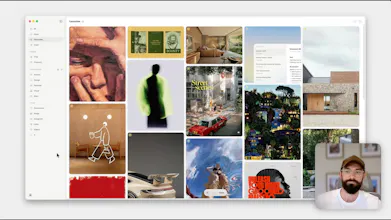
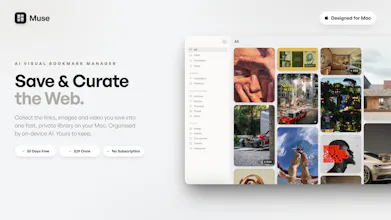
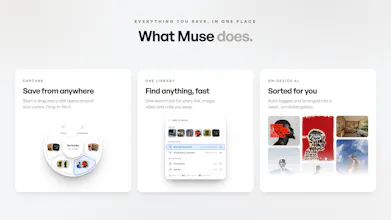
The AI Visual Bookmark Manager for Mac. It gathers everything you save - images, screenshots, links, video and notes - from any app or browser tab, and brings any of it back the instant you look for it. Everything is tagged and organised automatically by on-device AI, and stored entirely on your Mac. $29 once, no subscription. Free for 30 days, no card required.

A one-time purchase Mac app that consolidates bookmarks, visuals, and video is exactly the kind of thing I keep looking for. No subscription lock-in. One question: does Muse store the collection locally, or is there a cloud backend? Matters a lot for switching machines.
@hi_i_am_mimo Great to hear it! Muse stores everything locally on your device, built purposefully that way so that you can keep everything private.
Good to know it is intentional and not just a first-version tradeoff. Follow-up: if I move to a new Mac, is there an export or migration path that brings the full library over cleanly, or is that still manual at this point?
@hi_i_am_mimo Your whole library is one self-contained folder, by default in Pictures, called Muse Library. Inside it are your original files in dated folders under their real names, plus the small database holding your collections, boards and tags.
So if moving Macs, drop that folder in the same place on the new Mac and Muse carries on exactly where you left off, with the structure intact. Put it somewhere else and Muse asks you to point at it.
Two things in Settings make it easier:
Backup - pick a folder and Muse keeps scheduled copies, keeping as many as you want. That's usually the thing you carry across.
Export a Copy - a plain copy organised into folders by board, real filenames, links as double-clickable .webloc files, notes as .txt. Nothing in it depends on Muse, which is really the answer to lock-in: the data is yours whether or not you stay.
Each Mac keeps its own library, and the folder copy is how you move between them. Any other questions in the meantime, please let me know! Thanks!
I like the idea and it seems very well executed.
I will mention what I would like different, if that could be useful to you:
- Video. You make a more than 6 minute video. It is well done and well explained with a lot of detail. But I would like to have a very short first video of 1 minute or less. We are all so busy, here at PH have a lot of interesting things to see. I need something short to know if I want to go deeper. You could have a more detailed video in your site for the people who already decided to buy or try the product.
- Problem-solution. You indirectly explained but for me it is not clear, explicit at first site what is the problem you try to solve. I need to know the problem first to decide if I want to spend more time first and some money later on something.
@narcismirandes Thank you for the feedback. I would agree with you on the video. I was going to create a shorter version of it and then felt like it was worthwhile including the whole thing, and then people can scrub through and take a look at the all features if they'd like to do so.
In terms of the problem space, the issue that I was encountering was that I was using Raindrop for links, Pinterest for visual elements, and didn’t really have a good solution for video. Quite often I saved a lot of my most interesting stuff as X bookmarks, yet I had no way of putting all of this together into one place. There are a couple of solutions out there that will help to do something similar, but all of them are a subscription, which I wanted to avoid. So I’d say that the consolidation of interesting content and the desire not to have a subscription were really the driving forces behind creating Muse.
@theodore_hq What I tried to explain with the Problem-solution point is that the user in general needs to know at first sight what is the problem that the product tries to solve. To make that more clear, explicit in simple terms I think could help you connect with the users.
cool! suuuper excited to test it out, looks very clean. congrats on the launch! (the drop ring doesnt appear for me in chrome, anything i'm missing?)
@emhemz Thanks Emilie!
Nothing missing on your end. The ring is set to wait for a key by default, so it never gets in the way of everyday dragging. Start dragging your image, then hold Control and the ring opens around your cursor. Keep holding as you move onto the collection you want, and let go to drop it.
If you'd rather it just appeared on its own, it's all in Settings → Muse → Drop Ring:
Hold to Summon - switch this off and the ring appears on every drag, no key needed
Summon Key - swap Control for Command, Option or Shift etc
Show For - keep it to browsers only, or leave it on for every app (I've turned it off in certain apps where I don't need it)
We'll make that clearer in the app so nobody has to ask. Thanks for flagging it!
@theodore_hq Thanks! Appeared now, so smooth
@emhemz Great! Any more questions, just let me know.
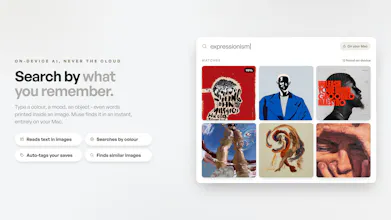
The automatic tagging and quick retrieval sound really useful.
@paveja_jawahar Yeah, the local AI enables some really nice quality‑of‑life features, like icons for collections automatically get chosen, AI tagging, better search, reverse image prompts, etc. It's really helpful.