The "outside the OS" angle is what makes this genuinely different from
every software-based computer-use agent I've tried. An in-OS agent is
blind exactly when it matters most - a kernel panic, a BIOS screen, a
frozen system that needs a real reboot. A hardware KVM still sees all
of that because it's operating below the software layer entirely.
Exposing that same hardware control path through MCP instead of just
a proprietary API is the right call too - it means an agent isn't
locked into one vendor's software stack just to get pixel-level access
to a machine.







Hi everyone!
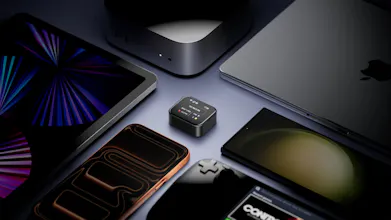
NanoKVM-Go is a tiny 4K USB-C KVM that gives you hardware-level control of a real device through one USB-C cable.
That makes it interesting for computer-use agents. Software agents can operate inside an OS, but a KVM sits outside the machine. It can still show the screen, send keyboard and mouse input, and help with cases like a frozen system, BIOS setup, remote OS install, or a device that needs a real reboot.
NanoKVM-Go also exposes its KVM functions through MCP, so an agent can use the same hardware control path instead of only relying on software APIs.
The Go+ version adds local OCR and screen memory, so your screen history becomes searchable context for both humans and agents.
Maybe agents don’t always need a new computer. Sometimes they just need a hardware-level way to work with the devices we already use:
Hello@zepan congrats on the launch! I keep a headless mac mini at my parents place and teamviewer is useless the second the kernel panics. That's why i'm looking at this. Before i back it - when the target is asleep on macos, does the USB-C link wake the machine or am i staring at a black screen until someone walks over and taps a key? Cool idea, let's connect!
@konstant_gk It also simulates USB keyboard and mouse, so you can remotely tap the keyboard to wake it up!
The out-of-the-OS angle is what makes this genuinely useful for computer-use agents. An in-OS agent goes blind exactly when you need it most: a kernel panic, a BIOS screen, a full-screen modal that isn't in the accessibility tree. A KVM at the pixel and HID level still sees all of that. The tradeoff is you lose every semantic hook, no DOM or a11y tree, just a 4K frame the model has to OCR and lay out itself. For that loop the number I'd care about is the capture-to-input round trip: what latency and frame rate does an agent get over the USB-C link at 4K?
the physical theft angle is what I'd want nailed down before this. if it's watch-sized, serverless, and reachable over Tailscale, the threat isn't really "agent misuse" as much as "someone finds or steals the device." is there any local auth or pairing step required before it accepts HID commands over the network, or does joining the Tailscale network + knowing it's there give you the same full keyboard/mouse control as the legitimate owner
the Go+ version's local OCR/screen memory turns your screen history into searchable context - where does that index actually live, and is there a way to exclude specific windows or apps from ever being captured into it? Feels like it could end up holding some pretty sensitive stuff by accident otherwise.
This looks really cool, thinking about getting one. I saw Jeff Geerling talk about it on his YT channel a few weeks ago. It could definitely help speed up remote diagnostics but I'm not sure how useful the AI agent control is except in very specific crash/debug scenarios. Otherwise most people will run the agent directly on SSH.
Some of the links on the GitHub to buy are dead, I can't even see where to buy it clearly in US.
plugged it into my mini pc and had claude poking around the bios within minutes, wild stuff