

Recorder.app for macOS
Versatile screen capture and camera recorder
13 followers
Versatile screen capture and camera recorder
13 followers
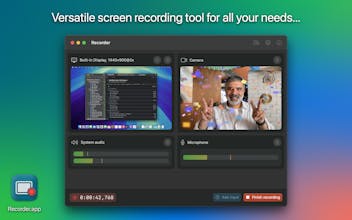
Unlock the full potential of screen recording with Recorder.app – your ultimate tool for capturing and sharing high-quality video and audio. Whether you're creating tutorials, podcasts, or video content for your blog, Recorder.app has you covered!



DropColour
My name is Dariusz, and I created Recorder app as a passion project to meet my own screen recording needs.
As part of my daily job, I mentor iOS and macOS developers. I conduct numerous one-on-one and group calls, where I share my screen to present slides and code as references for the knowledge I teach. I strive to be well-prepared and avoid repeating the same presentations. Additionally, I want to provide my students with pre-recorded video materials.
I searched for an easy-to-use yet versatile tool to record my screen or parts of it. Despite the plethora of solutions on the market, none fulfilled my simple needs. I tried various free and paid applications, but most lacked one or more crucial features. While many powerful tools exist for post-processing, I couldn't find one that excelled at recording both my screen and camera.
Recorder app was built with the following key values in mind:
Simplicity of use. Select sources and start recording immediately, with optimal performance and quality out of the box.
Versatility. Record your entire screen, a specific app or window, camera video, audio from built-in or external microphones, and more. All at the same time, in any combination.
Customization. Tailor the capture to your individual needs. Control what's included and excluded in your recordings. Filter captured content, such as excluding specific apps, windows, or system UI elements.
Compatibility. Save your recordings in the most compatible formats. Process them later with your preferred post-processing tool. Recorder app ensures synchronization of audio and video recorded from different sources.
Privacy. Your recordings are never shared with anyone and remain on your device, ensuring your sensitive data is kept safe.