
refern is a library and reference board for your images, videos, working files, and saved web pages. Save from anywhere, find anything again, and lay it out beside your work.
This is the 3rd launch from refern.. View more

refern.
Launching today
refern keeps your images, videos, working files, and saved web pages in one library. Find any reference by tag or color, put any file on a board, and pin it on top of your drawing app. Your files stay in your own folders. Windows, macOS, and Linux.



Free Options
Launch Team

Render Sandboxes: a computer for every agentIsolated compute, persistent state and a real filesystem
Promoted


Hi Product Hunt! I’m Jackson, an artist and the maker of refern.
My references were spread across folders, Pinterest, PureRef boards, and old drives. I spent more time looking for the right image than drawing from it. So I built the app I wanted to use.
Some of you may remember refern from its 2024 launch here as a web app. It grew to 23,000 users before I had to shut it down, and people kept asking for it back. So I rebuilt it from scratch as a desktop app that works with the files already on your computer.
refern is a reference library and a reference board in one desktop app:
Browse the folders you already have. Your files stay where they are.
Save images, videos, and whole pages from your browser with the refern extension.
Tag your images, then find them by tag or color. Pick an image to find others that look like it.
The optional Auto Tagger suggests tags on your device, so a big unsorted library gets searchable fast.
Drag what you find onto an infinite board with notes and color swatches. Any file and any saved web page can go on a board too.
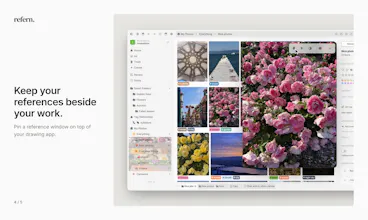
Pin a reference window on top of your drawing app, and bring your Eagle library, PureRef boards, and public Pinterest boards with you.
It’s $35 once, with updates included, on Windows, macOS, and Linux. For Product Hunt, the code PRODUCTHUNT takes 20% off ($28) for launch week. The 30-day free trial needs no card, and the desktop app needs no account or subscription.
I’d love to hear how you keep your references today and what would make you switch. I’ll be here all day to answer questions.
Pinning references on top of my drawing app is the one feature here I have never had working properly, and finding by color is how I actually recall a screenshot I saved two months ago.
Interesting!! If two people point refern at the same Dropbox folder, do tags sync between them or is it one library per machine?
Keeping files in their existing folders is a thoughtful choice. A way to reconnect a moved folder without rebuilding its boards and tags would help that library stay useful over time.