Launching today

Rungle
Turn your running photos and clips into share-ready Reels
31 followers
Turn your running photos and clips into share-ready Reels
31 followers
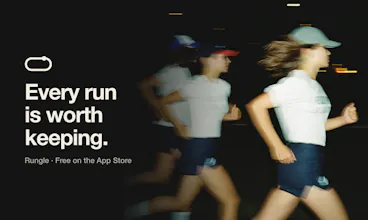
Rungle is a free iPhone app that turns your runs into posts. Import distance, pace, heart rate and more from Apple Health (or a screenshot of your running app) and put them on your photos with stylish overlays. AI best cuts picks shots worth sharing, and Reel templates like KM Splits and Spider Shot come with filming guides. Running Courses helps you find your next route on a map. Keep your running app. Rungle handles the edit.


Free
Launch Team

CloudflareDeploy serverless functions globally in seconds
Promoted
Hi Product Hunt,
I'm Dongho, and I lead the small team in Korea behind Rungle.
Why we built it
A lot of runs end the same way: dozens of photos in the camera roll, a stats screenshot, and a few different apps to turn them into one post. When we talked to runners, we kept hearing the same thing. The hard part isn't the run. It's the time and effort of editing afterward. So our whole team started running and making running content ourselves, and we felt it too.
What Rungle does
Imports distance, pace and time from Apple Health, or reads them from a screenshot of your running app. Keep the app you already run with.
Puts your stats on your photos with 30+ overlay styles (now with heart rate, calories and elevation, too)
AI best cuts suggests which of your ten near-identical photos is worth posting
Reel templates with filming guides: KM Splits (supports both kilometers and miles), Running Man Freeze, Spider Shot, Shoe Aura and more
Running Courses: find picture-shaped routes on the map, like hearts, stars and even dogs, then export the GPX
Where we are
We launched on the App Store on August 27 and started telling runners about it on October 19. Since then, feedback from runners has shaped most of what we've shipped. Right now the biggest demand is for Running Courses, so that's where most of our effort is going. Courses cover cities across South Korea, plus San Francisco and Seattle in the US so far. We'll also keep adding new Reel templates and stat overlay styles.
Rungle is free, and you can add stats to photos without signing in. AI features need a sign-in because photos and videos are processed on our server, and they're deleted once processing is done.
We'd love your feedback:
Which Reel template would you actually use after a run?
Which city should get running courses next?
Was anything confusing in your first few minutes?
Thanks for checking it out. And if you ran today, well done!
the filming guides are a nice addition to the reel templates
knowing which shots to grab during the run is more useful than discovering afterward that the edit needs a clip u never took
@saad_el_gueddari
Thanks, Saad! That’s exactly what the guides are for: showing you which shots a template needs before you start filming, rather than leaving you to figure it out in the edit. Glad you picked up on that!
Love the filming guides. Coming up with ideas, getting the right shots and putting everything together can be just as challenging as the run itself. Congratulations!
@henry_habib
Thanks, Henry! The run is enough work already, so making a Reel afterward shouldn’t feel like another workout. Glad the filming guides stood out to you!
Importing from Apple Health instead of demanding I switch running apps is the right call, and having KM Splits as a template with filming guides solves the part I always stall on, which is what to actually point the camera at.
@karimbenkeroum
Thanks, Kareem! We want Rungle to work alongside the running app you already like, not replace it. Glad the filming guides address that “what should I actually shoot?” moment, too. And despite the name, KM Splits supports both kilometers and miles!