
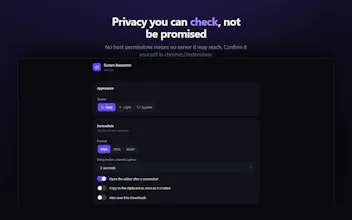
Every screen recorder promises not to misuse your recordings. Screen Awesome can't: it requests zero host permissions, so Chrome itself blocks it from reaching any server. Check it in chrome://extensions before you install. Record a tab, screen or camera to MP4. Auto-zoom glides a virtual camera to every click. Screenshot a region or a full scrolling page. Annotate with arrows, blur, redaction, step counters and text — all editable vectors. Free, unlocked, no account, no watermark.



What's great
does exactly what I need for quick walkthroughs - record, annotate on top, done, no fifteen-minute export pipeline like some of the bigger video tools. the annotation tools during recording (not just after) are the part that actually saved me time, most competitors make you annotate in post.
What needs improvement
the export presets could use a couple more aspect ratio options for things like LinkedIn native video vs a docs embed - right now I end up cropping after export for some destinations.
vs Alternatives
compared it to Screen Studio and just using QuickTime plus Keynote for arrows/callouts after. Screen Studio is polished but felt like overkill for a quick Slack clip, and the QuickTime route meant a separate slow editing pass every time.
Ratings
Ease of use
Reliability
Value for money
Customization
Report
26 views
I have tried multiple times to use this tool for recording purposes but have not been able to start. Would you please check the issue? I am using a Mac
.
@shahriardgm Sorry about that — and thank you for telling me instead of just uninstalling.
The most likely cause on a Mac is an OS-level block rather than the extension itself: System Settings → Privacy & Security → Screen Recording, and check that Chrome is enabled. The catch is that the grant only applies after you fully quit and reopen Chrome (Cmd-Q, not just closing the window). If Chrome was never enabled there, the share dialog never appears and recording just silently doesn't start.
One other thing worth ruling out: if you were on a chrome:// page or the Web Store tab when you hit record, Chrome blocks capture there — try it on any normal page.
Either way, this is on me to surface better. Right now the extension reports the system block as a cancelled dialog, which tells you nothing useful. A build that detects it and shows the actual fix is already written and goes to the store this week.
If neither of those is it — which source did you pick (This tab / Screen / Camera), and did you see any dialog at all? Happy to dig into it directly: nitinbhaiviras@gmail.com
Mac users have Quick Time for screen recording. It's easy to use and free. Apple has an emphasis on security. What makes your product different?
@narcismirandes Fair question — QuickTime is good, and for plenty of recordings it's the right call. The difference is after you stop: it records pixels, it doesn't know a click happened. Screen Awesome records the cursor track too, so the studio auto-zooms to each click, then trims and exports MP4, WebM or GIF — no editor round-trip. It's also tab-scoped rather than whole-screen (no stray notifications), does full-page scrolling screenshots, and works for teammates who aren't on a Mac. Not claiming to beat Apple on security; just that a browser extension asking for zero site access is unusual, and you can verify it before installing.
Verifiable lands better, but the claim has a shelf life. Empty host_permissions is true today and Chrome auto updates extensions, so 1.4 can quietly add one and nobody checks chrome://extensions twice. If you want it to hold, publish the manifest diff with every release and link it from the store listing, that's the thing someone can keep checking without trusting you. The one I still do by hand is re-recording a whole take because a single sentence came out wrong.
Can it record screen videos?
@natalia_iankovych Yes — that's the main thing it does. Record the current tab, a full screen or window, or just your camera, with mic and system/tab audio as toggles and an optional camera bubble. Stop, and it opens a studio to trim and export MP4, WebM or GIF, all locally.
Love that you can verify the zero-permissions claim in chrome://extensions before installing. The auto-zoom that follows every click feels like actual thoughtful craft, not a checkbox feature.
@launch_p Thank you — that's exactly the pair I was hoping someone would notice.
This is a very thoughtful approach to privacy. Verifiable definitely lands better than "trust us" because users can confirm the limitation themselves instead of relying on another policy page.
The combination of zero host permissions. Great work, Nitin, and congratulations on the launch!
@chirag_chamoli Thank you