Launched this week

Seqora
Design your schema on a canvas. Seqora writes the SQL.
48 followers
Design your schema on a canvas. Seqora writes the SQL.
48 followers
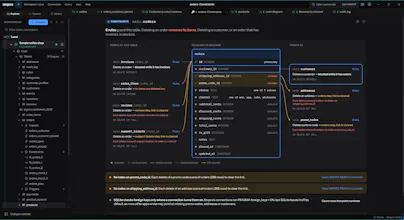
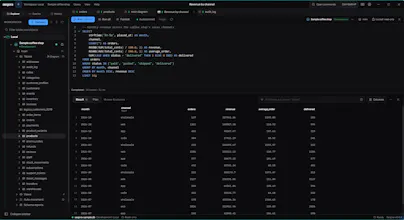
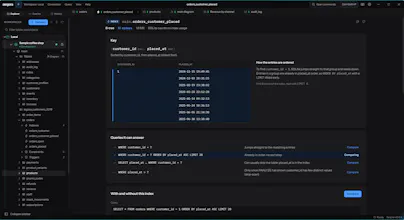
A desktop database client for PostgreSQL, MySQL, MariaDB and SQLite. Change tables on an ER canvas and Seqora writes the SQL. Every index, constraint, trigger and function gets its own page with size, usage and health. Visual EXPLAIN shows the plan step by step with measured timings. macOS and Windows, no account.






Free Options
Launch Team / Built With


Atlassian LoomShow, don't just tell with Loom
Promoted
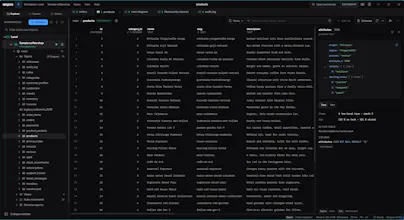
Hi, I'm Ayushman. I built Seqora because I wanted one desktop app that shows me the rows in my database and also the indexes, constraints, triggers and query plans. It works with PostgreSQL, MySQL, MariaDB and SQLite, runs locally on macOS (Apple silicon) and Windows, and needs no account.
Free covers browsing data, the SQL editor with completion and history, editing rows, a read-only ER diagram, and every object with its properties and DDL. You can use it for work and it doesn't expire. Pro adds the parts I care about most. Every index, constraint, trigger and function gets its own page with its size, how much it is used and whether it is healthy. That is the full set on PostgreSQL and most of it on MySQL, MariaDB and SQLite. Visual EXPLAIN shows the query plan step by step with measured timings for each step. SQLite has no timings. Schema design lets you change tables on an ER canvas, and Seqora writes the SQL and test-runs it in a transaction before applying it.
Pro is $9.99 a month or $99 a year. If you subscribe before the end of 2026 it's $5.99 a month or $49 a year, and you keep that price as long as you renew. There's a 14-day trial.
Linux is coming later. Download is at seqora.dev. Tell me what you think and what breaks.
We use a homegrown schema manager at work, and the biggest problems are usually locking and destructive changes. How do you handle those with Seqora, especially on large production tables?
@tocu Right now when you make a change, it shows which lock each statement will take and if it will rewrite the whole table, so you know before you run it. if you drop a column or table it shows how many rows have data in it and what else depends on it. It also uses a lock timeout when applying so it doesn’t sit there waiting and block other queries.
Online migrations (like pg_repack or gh-ost) arent there yet. For big production tables I would still use those for now. I would love to know how are you handling it.
The visual EXPLAIN with measured timings is the part I would actually live in — most clients show a plan, but few walk through it step by step. With every index, constraint, trigger, and function getting its own page for size and usage, does the visual EXPLAIN work the same way across PostgreSQL, MySQL, MariaDB, and SQLite, or is it deepest on Postgres?
@jcbuilds Postgres EXPLAIN provides metadata in depth (buffers, settings etc), so I was able to visualize it best as I had more options to play with. mysql and mariadb still show real measured timings since they have EXPLAIN ANALYZE too, they’re just less detailed. sqlite only gives estimates because it doesn’t report timings at all