
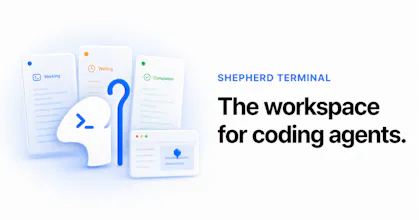
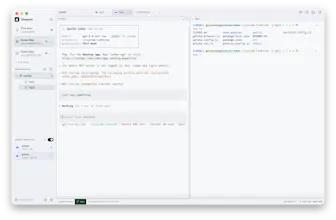
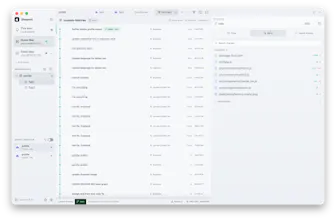
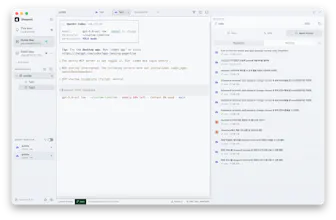
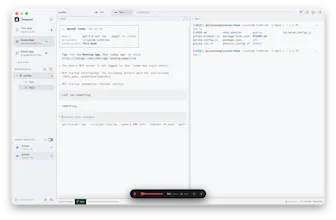
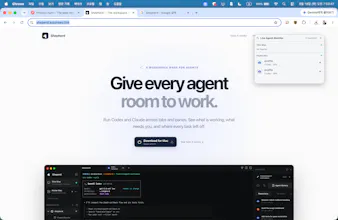
Run coding agents across tabs, panes, and remote machines. Shepherd keeps terminal sessions alive when the app closes, tracks which agents are working or waiting, and lets you return to their files and changes without losing context. Agents understand the current Shepherd context, control tabs and panes, and collect feedback through browser reviews, while you monitor every agent’s status in real time.



What's great
I run Claude Code and Codex side by side pretty often and the thing that always bit me was losing track of which pane was still working when I tabbed away. Shepherd keeps the session alive and shows agent status at a glance, so I stopped accidentally closing a tab mid-task. The remote/SSH support for kicking off agents on another machine and monitoring them from the same workspace is the part that's actually new to me versus just running tmux.
What needs improvement
The agent status view could use more detail at a glance - right now I still have to click into a pane to tell if it's stuck waiting on a permission prompt versus actually still working. A small visual distinction between "waiting on you" and "running" in the tab list itself would save a lot of tab-hopping.
vs Alternatives
 Warp
WarpI looked at Warp too since it's also an AI-native terminal, but Warp is more about a better single-terminal experience with its own AI built in. Shepherd is specifically about orchestrating multiple coding-agent sessions across tabs and machines and keeping them alive when you're not looking, which is the actual pain point for me right now.
Ratings
Ease of use
Reliability
Value for money
Customization
Report
14 views

Thank you for the thoughtful feedback and I’m glad the persistent sessions and remote agent monitoring are solving a real problem for you.
Shepherd already distinguishes between agents that are actively working and those that need attention, such as a permission prompt. That distinction currently appears in the sidebar and Agent Monitor, but you’re right that the compact tab list only shows the agent icon.
Bringing the same “running” versus “waiting on you” indicator directly into each tab is a great suggestion. I’ll work on making that status visible without requiring you to open the pane. Thanks again for using Shepherd and helping shape the public beta!
Report
Hi Product Hunt 👋
I built Shepherd because running multiple coding agents quickly became harder to manage than the code itself. Codex and Claude were spread across terminal windows, and I kept losing track of which agent was working, waiting for input, or already finished.
Shepherd is a persistent macOS workspace designed around coding agents:
- Run Codex and Claude across tabs, panes, and remote machines
- Keep terminal sessions alive even after closing the app
- Monitor every agent’s status in real time
- Let agents understand and control the current Shepherd workspace
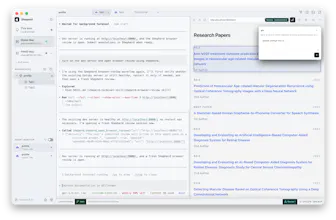
- Open connected browser reviews from an agent and return your visual annotations as structured feedback
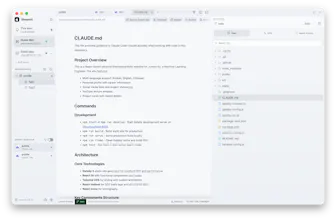
- Resume previous agent sessions and inspect their files, diffs, and Git history
- Connect to remote development machines over SSH and access their terminals, files, and local services
- Provide local STT model to vibe-code using your own voice
The macOS app is available today for Apple silicon Macs running macOS 14 or later. I’m also building an iOS companion for monitoring agents, receiving completion or attention alerts, give feedback to agent, control a terminal and reconnecting when away from the Mac.
I’d especially appreciate feedback on the agent-monitoring experience and whether Shepherd makes parallel agent work easier to follow.
This is Shepherd’s first public beta, so you may encounter bugs or rough edges. I’ll keep fixing them and exploring better ways to connect coding agents with Shepherd Terminal. Please try it, use it in your real workflow, and leave plenty of comments if you run into a problem or have an idea. Your feedback will directly shape what I build next. Thank you!
Thanks for trying it!
If you run into any issues, have questions, or need help getting started, please leave a comment here. I’ll be around all day and would love to hear your feedback!
@kojunseo The part I'd want scoped is agents understanding and controlling the Shepherd session itself. If an agent in one pane can read and drive the workspace, can it see or act on a sibling agent's pane, or is each session's control surface limited to its own tab?
@clement_avq
Great question. The control surface is currently scoped to the Shepherd workspace, not just the agent’s own tab. An agent can inspect sibling panes and, when explicitly instructed, interact with them—for example, checking their status or sending input.
That said, this access is tool-mediated rather than ambient: agents don’t automatically read or control sibling sessions. I’m also exploring more granular permissions so users can restrict control to the current pane, selected panes, or the entire workspace
@kojunseo The read path is the one I keep turning over. If agent A can inspect agent B's pane, B's output becomes untrusted input to A, and a test log or a file B is writing could carry text that A reads as an instruction. Is sibling pane content marked as data rather than prompt anywhere, or is that down to the model's judgment for now?
@clement_avq That said, Shepherd exposes sibling-pane content to agents as structured tool output with its source and pane context, rather than presenting it as a direct user instruction. Modern agents such as Claude Code and Codex are generally able to preserve that distinction, which reduces the chance of accidental misinterpretation.
However, I don’t consider model judgment alone a sufficient security boundary. Cross-pane content should still be treated as untrusted data, and I’m exploring stronger safeguards such as read-only defaults, provenance labels, per-pane permissions, and confirmation before acting on content from another pane.
@kojunseo That's a more careful answer than I expected, thanks. Of those four safeguards, the one that would change how I actually use it is per-pane permissions, so what's the default today: can any pane read any sibling out of the box, or does cross-pane access have to be granted?
the "sessions stay alive when the app closes" part is the thing I'd actually want, I've lost track of a long-running agent more than once because I closed the wrong terminal tab by accident. curious about the remote/SSH case though - if the connection drops mid-way through an agent actually writing or editing a file on the remote machine, does Shepherd just resume watching the same process, or is there a chance the agent's action gets cut off and you come back to a half-written file. that's the scenario that'd make or break trusting this for anything longer than a quick task
@galdayan That’s exactly the scenario Shepherd is designed for. When you connect to a remote machine, Shepherd installs a lightweight Rust service with a persistent session keeper. The agent and its terminal process run under that keeper, independently of the SSH connection or desktop app.
If SSH drops or you quit Shepherd while the agent is editing a file, the process continues running on the remote machine. When you reconnect, Shepherd attaches to the same session and restores its terminal output, rather than starting a new process. A dropped Shepherd connection by itself therefore shouldn’t interrupt an in-progress file operation.
The session only stops when you explicitly terminate it, the agent process exits or crashes, or the remote machine itself goes down. This kind of long-running reliability is a core part of Shepherd, so please let me know if you ever encounter a session that doesn’t reconnect cleanly.