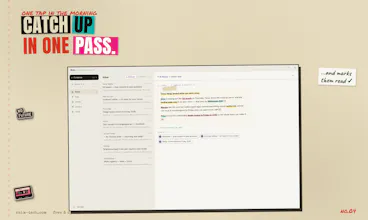
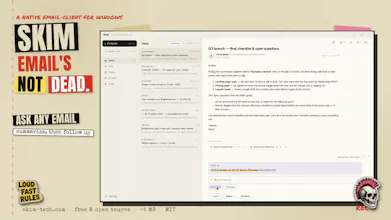
Skim is a free, open-source (MIT) email client for Windows. ✂️ Minimal on purpose: no calendar, no rules engine, no bloat. Fewer buttons, less cognitive load. ⚡ Native Rust core (Tauri 2): ~5 MB installer, sub-second cold start, instant full-text search. 🔒 Local-first, offline-ready, zero telemetry. ✦ AI on your terms: bring your own Anthropic or OpenRouter key and Skim drafts replies in your voice and answers questions across your whole mailbox.
The one where Chinese, Japanese and Korean mail stops looking like a row of . Turns out "just assume UTF-8" isn't a real internationalization strategy. Who knew.
Fixed
CJK charsets decode properly. GBK, GB18030, Big5, Shift_JIS and EUC-KR subjects and bodies now come through as actual text, not replacement characters (#53).
Already-garbled mail repairs itself. Folders that were holding the broken messages get refetched once on the next sync, this time decoded properly. You don't need to do anything.
A stale connection no longer shows up as an error. When the server quietly drops the socket, sync reconnects once and carries on instead of complaining to you about it.
The one where your mail finally stops introducing itself as a.very.long.address@example.com and starts signing off like a grown-up.
New
Your name on outgoing mail. Skim always had a slot for a display name it just never bothered to fill it. Now it does, per account. And it doesn't ask you: it takes a quiet look at your Sent folder, notices what you actually sign with, and adopts it. Guess once, never again, and never after you've touched the field yourself. (Microsoft OAuth hands the name over at connect time, because it's already right there in the token. Google makes us do it the hard way.) closes #43
Per-mailbox signatures. One plain-text sign-off per account, inserted into the draft the moment you open the composer so what you see is exactly what goes out, and the copy in IMAP Drafts matches. Comes with the proper -- delimiter pre-typed, which also means the AI co-author and the language detector politely skip over your sign-off instead of studying it. closes #42
I built Skim because I wanted a Windows email client that doesn't suck that hard and couldn't find one. Now I wanna share it with you.
Skim is open source and MIT-licensed, free forever. No subscription, no telemetry. Join as a contributor plz! 🙏 https://github.com/nikserg/skim
Skim is small: a native Rust core (Tauri 2, no Electron), a ~5 MB installer, offline-first IMAP sync into local SQLite, instant full-text search, and a keyboard-first UI with a Ctrl+K palette.
✦ The AI part works on your terms: paste your own Anthropic or OpenRouter key to enable AI features:
✍️ it drafts replies in your voice (and can learn from your sent emails)
📥 summarizes your unread mail
🔍 answers questions across your whole mailbox, with cited sources
Pretty basic, huh? Right. That's all I need, and I believe there are people who need the same. Requests go straight from your machine to the provider: no middleman, no markup, no subscription.
Let me share a bit of the philosophy I try to follow while building Skim:
✂️ Minimalism. It's an email client and that's it. No integrations -> no bloat. Cognitive load matters!
🎯 Contextual actions. Skim tries to be the kind of software that thinks FOR you to save your cognitive resources. Buttons show up only when needed, the app always does the most obvious thing, and the defaults should be the best ones.
⚡ Resource efficiency. Skim is built to run in the background 24/7, so it stays as humble as possible and eats as few resources as it can. That's why the installer is under 5 MB 😄
So, with all that said: please, have fun with Skim! I'd love your feedback, especially from folks tired of heavy clients. What would make you switch? What's missing? How could I trick you into contributing? 🤘
@aidan_codefox Hey, I'm flattered you love the branding! It's something I'm secretly proud of. At first I went the usual route - you know, purple, polished, sterile shit - but then I thought, "Hey, it's free and open source, right? Fuck it, let's have fun," and ended up with this wonderful zine landing you're looking at.
Okay, flex time's over - to your question.
tl;dr: there are no secrets in the repo. The magic is called PKCE.
Brace for the AI-slop explanation, if you're curious:
Gmail uses the installed-app flow (loopback + PKCE), where the "client secret" isn't actually a secret. Google's own docs say the client secret for installed apps "is obviously not treated as a secret" — a distributed desktop app can't keep one confidential, so security comes from PKCE (S256) and the 127.0.0.1 loopback redirect, not from a secret. There's no server in the middle; the token exchange goes straight from your machine to Google.
The client ID/secret aren't committed — they're baked in at build time from env vars (SKIM_GOOGLE_CLIENT_ID / _SECRET), injected in CI from GitHub Actions secrets. So official installers carry them, but nothing sensitive sits in the source tree. Build from source and you just plug in your own Google Cloud project.
Microsoft/Outlook is a true public client — PKCE only, no secret at all.
Per-user tokens never touch disk in plaintext. Refresh tokens, app passwords, and the AI API key live in the Windows Credential Manager — never in the SQLite DB or any config file.
So "public repo" and "OAuth" coexist fine here: the only thing that would be dangerous to leak (per-user refresh tokens) never leaves your OS keychain, and the app-level identifiers are the kind Google/Microsoft explicitly design to ship inside native binaries. 🔒
Report
Do you have plans for Mac or Linux, or is Windows the main focus? The ~5MB installer and sub-second startup would be a pretty strong selling point for anyone tired of bloated Electron apps, so I'm wondering if expanding makes sense or if you want to keep it tight and focused.
@talhakhalidmtk I'd rather focus on Windows, but not because it's against product philosophy, but because I use only Windows 😄 If you want to add a builder for another OS - feel free to contribute!
love that this is BYOK instead of yet another subscription tier, that's rare for an email client. since the AI can answer questions across the whole mailbox, does it send full email bodies to the API per query or is there some local pre-filtering first so you're not shipping your entire inbox history every time you ask something?
@omri_ben_shoham1 nice one! And no, it doesn't ship your inbox on every query. Retrieval is local first.
Under the hood the AI is a tool-calling agent. When you ask something, it searches your mailbox on your machine. What crosses the wire from that search isn't email bodies, it's compact rows: date, sender, subject, and a snippet capped at ~160 chars. That's the pre-filtering step you're hoping for: the full-text index narrows thousands of emails down to a handful before anything touches the network.
Full bodies go out only for the specific emails the model then chooses to open - and even those are truncated (roughly 6k chars per email, ~10k for a whole thread). Per query it's bounded to about a dozen reads, not your entire history. Trash and junk are excluded unless you explicitly ask for them.
Report
love how lean this is, the rust footprint is wild. one thing that would sell me even more is proper vim keybindings for the inbox and reading panes, j/k navigation feels like a natural fit for something this minimal.
The 5MB Rust install is genuinely impressive, and it actually opens faster than Outlook does. Curious to see how the BYOK AI drafting holds up on longer threads.
@eymenevf2 comparing to Outlook it opens instantly 😄
As for drafting - I personally use it all the time, it keeps context well as I can see. But I'm curious to learn your use cases and experience to make things better. Do not hesitate to open a Github issue or text me here.
Report
love that it's local-first and tiny, but honestly a unified inbox view would be a game changer for me. like, one screen where i can see all my accounts side by side instead of toggling between them. would make it feel even more minimal and way faster to triage.
@rem1219681 oh this one I love. You actually nudged me over the line - unified inbox is happening.
The plan: all your mailboxes merged into one view by default (not just the inbox - sent, archive, everything), Each message tagged with a little colored dot + letter so you always know which account it's from. And if you ever want the old one-account-at-a-time mode, it stays a toggle.
Wrote it all up here, design + open questions - would love your take:
@nikita_zarubin I've migrated from Windows this year, but upvoted for branding only - great job, I like the anti-boring approach ;)
@nikita_zarubin Congrats on the launch! LOVE the website - you clearly put a lot of thought and personality into it.
@anna_ludwinowski that's true, I did! So glad you liked it! 🫶
Curious how you handle Gmail OAuth secrets in a public repo though! Great launch, refreshing branding, and love every MIT license.
@aidan_codefox Hey, I'm flattered you love the branding! It's something I'm secretly proud of. At first I went the usual route - you know, purple, polished, sterile shit - but then I thought, "Hey, it's free and open source, right? Fuck it, let's have fun," and ended up with this wonderful zine landing you're looking at.
Okay, flex time's over - to your question.
tl;dr: there are no secrets in the repo. The magic is called PKCE.
Brace for the AI-slop explanation, if you're curious:
Do you have plans for Mac or Linux, or is Windows the main focus? The ~5MB installer and sub-second startup would be a pretty strong selling point for anyone tired of bloated Electron apps, so I'm wondering if expanding makes sense or if you want to keep it tight and focused.
@talhakhalidmtk I'd rather focus on Windows, but not because it's against product philosophy, but because I use only Windows 😄 If you want to add a builder for another OS - feel free to contribute!
love that this is BYOK instead of yet another subscription tier, that's rare for an email client. since the AI can answer questions across the whole mailbox, does it send full email bodies to the API per query or is there some local pre-filtering first so you're not shipping your entire inbox history every time you ask something?
@omri_ben_shoham1 nice one! And no, it doesn't ship your inbox on every query. Retrieval is local first.
Under the hood the AI is a tool-calling agent. When you ask something, it searches your mailbox on your machine. What crosses the wire from that search isn't email bodies, it's compact rows: date, sender, subject, and a snippet capped at ~160 chars. That's the pre-filtering step you're hoping for: the full-text index narrows thousands of emails down to a handful before anything touches the network.
Full bodies go out only for the specific emails the model then chooses to open - and even those are truncated (roughly 6k chars per email, ~10k for a whole thread). Per query it's bounded to about a dozen reads, not your entire history. Trash and junk are excluded unless you explicitly ask for them.
love how lean this is, the rust footprint is wild. one thing that would sell me even more is proper vim keybindings for the inbox and reading panes, j/k navigation feels like a natural fit for something this minimal.
@yamurobancsyyp Yeah, j/k navigation works in inbox!
The 5MB Rust install is genuinely impressive, and it actually opens faster than Outlook does. Curious to see how the BYOK AI drafting holds up on longer threads.
@eymenevf2 comparing to Outlook it opens instantly 😄
As for drafting - I personally use it all the time, it keeps context well as I can see. But I'm curious to learn your use cases and experience to make things better. Do not hesitate to open a Github issue or text me here.
love that it's local-first and tiny, but honestly a unified inbox view would be a game changer for me. like, one screen where i can see all my accounts side by side instead of toggling between them. would make it feel even more minimal and way faster to triage.
@rem1219681 oh this one I love. You actually nudged me over the line - unified inbox is happening.
The plan: all your mailboxes merged into one view by default (not just the inbox - sent, archive, everything), Each message tagged with a little colored dot + letter so you always know which account it's from. And if you ever want the old one-account-at-a-time mode, it stays a toggle.
Wrote it all up here, design + open questions - would love your take:
https://github.com/nikserg/skim/issues/10
Thanks for the push 🙌