SnippetX

SnippetX

Beautiful screenshots, made easy – directly in your browser.

155 followers

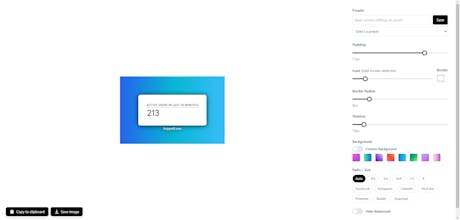
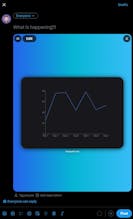
SnippetX lets you create beautiful, high-quality screenshots directly in your browser. Customize backgrounds, tweak settings, and highlight your content with ease. No downloads, no installations – just a seamless way to make your screenshots stand out.
SnippetX gallery image
Free Options
Launch tags:Design Tools
Launch Team / Built With
Tines
Tines
The intelligent workflow platform
Promoted

What do you think? …

Henno
Maker
📌
Hey Product Hunt! 👋 I’m excited to finally share SnippetX with you all! 🎉 It’s a browser-based screenshot tool that lets you quickly and easily capture beautiful screenshots – no extra software needed. With plenty of customization options, you can fine-tune every detail to your liking. I’d love to hear your thoughts and feedback! Let me know how I can make it even better.
Maxine Lin
@hennobit I see plenty of screenshot tools every time when I search in the app stores– what’s your secret sauce that makes yours stand out?
Henno
@maxine_lin Thank you for your reply :) The 'secret sauce' of SnippetX is that it's entirely browser-based. No downloads, no installations, and it works on any device with a browser. Plus, it offers extensive customization options you won’t typically find in other free browser-based tools .All designed to make screenshots look polished and professional. Perfect for quick, seamless workflows :)
Nil Ni
Nice job on making this! Screen shot marketplace is really crowded 😹 u will need to do some hard work in distribution to win here I think making it completely free for a traffic play can be a interesting gtm strategy
Alexis Augoustis
Does it have gif feature? That would be really helpful in a snippet tool!
Max Comperatore
sweet. nice job. altho shots.so is better.
hritik choudhary
Congrats on launching SnippetX, Henno! 🎉 A browser-based screenshot tool with customization sounds super convenient and efficient. Excited to give it a try—great job making it accessible without extra software! 🚀✨ @hennobit
Alison Eyo
Damn this is neat - was literally using some janky combo of Screenshot + Figma this morning to make my code snippets look decent for documentation. The fact it's right in the browser is chefs kiss. Been designing dev tools lately and this level of 'no extra steps' is exactly what we aim for. Curious if you can save presets though? Would be sweet for keeping brand consistency across all my project shares 🤔
Henno
@thealisoneyo Thanks for the comment! Yes you can!
Ayush Kumar
Good I need this. Could you please add the ability to crop?
Henno
@ayush_kumar86 I will. Until then I recommend using the Snippet Tool if you are on Windows. WIN + SHIFT + S. And then paste that image to SnippetX :)
12
Next
Last