
Stanley Studio
The AI video editor you hire that edits like a human
312 followers
The AI video editor you hire that edits like a human
312 followers
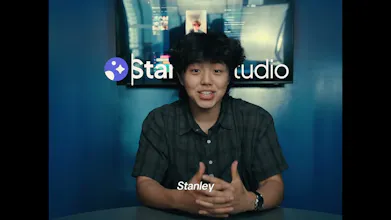
Stanley is built for anyone who films great videos and then lets them die in their camera roll. Send Stanley raw footage and get back a finished, captioned video. No timelines, no manually tweaking captions, no spending hours hunting for the perfect song. Just tell Stanley what you want and it edits end-to-end: talking heads, vlogs, podcast cuts, UGC, whatever your niche needs. And it's free. Upload footage, get a video.


Free
Launch Team / Built With


Customer.ioAutomate Messaging Everywhere — Startups Get 12 Months Free
Promoted
Hey product hunt! 👋
I'm Daniel. After 12 years of editing all sorts of different videos and generating 100M+ views, I've recently come to realize that I waste so much of my life in timelines.
A few things I've done, voluntarily:
- Manually trimming pauses
- Painfully adjusting captions
- Spending hours looking for the perfect BGM
And I one day decided that enough was enough. So, @oliver_chen2, @justinbaduaa and I created Stanley Studio.
Stanley Studio edits for you. send it raw footage, tell it what you want, and it cuts the video to your liking. Stanley can edit talking head clips, vlogs, product demos, podcast cuts, day-in-the-life, ugc style, whatever your niche needs.
It edits like someone who actually understands short form, not a template machine. It's an expert on captions, pacing, hooks, and storytelling.
And it's free. I'm not gonna take your credit card or give you a BS free trial. All I ask is you upload footage + get a finished video.
Try Stanley Studio for free
We're the team behind Stan, we've helped creators make $600M+ selling digital products. Stanley Studio is us giving creators their time back.
I'm in the comments all day. What video do you hate editing most? I'll show you what Stanley does with it.
Hey Daniel! Thank you for the fun experience! First of all - I really love how you presented Stanley Studio. I work with video professionally but sometimes I miss the fun of the process - crazy transitions, cartoon fonts, just pure joy. And you're right: when editing is easy and results come fast, it becomes so much more enjoyable.
So I uploaded my morning basketball video and gave Stanley Studio some hard tasks:
1) Freeze frame transitions - it couldn't do it, but we compromised on a dramatic zoom.
2) Captions - love the option of merging and splitting words, great!
3) Animated starburst every time the ball hits the ground - tricky one, and it struggled to detect those moments even when I set the timing manually.
4) Replacing the music track with an instrumental so it wouldn't conflict with my voice - did great.
Just one question: does Stanley Studio use royalty-free music? Is it safe to publish the result on Instagram?
@julia_shtogren
Hey Julia! This is the kind of feedback we live for, thank you for actually stress-testing it.
Freeze frames and impact detection are both on our radar, and the starburst timing issue is a great catch, passing that to the team today.
Regarding music, the tracks aren't royalty-free yet, so for Instagram I'd swap in your own audio or a track from IG's library before publishing. Licensed music is on the roadmap since we know done-for-you means publish-ready. Appreciate you flagging it!
@therealdanielpark Thank you!) It is great that you are working on product improvement all the time! Wishing you good luck and success, if you will ever need one more stress test, just let me know!
This is painfully relatable. I have so many clips sitting in my camera roll because recording is easy, but turning them into something actually postable is where the energy disappears. captions, pacing, cuts, music... suddenly a 30-second idea becomes a two-hour task.
The “not a template machine” part is what I'd want to test most. short-form editing is very taste-driven, and bad pacing can make even good footage feel boring. Curious how much direction Stanley needs to get close to the right style. can I just say "make this feel like a founder launch update" or does it work better with more specific editing instructions?
@andrasczeizel
Totally. Those two hours should be spent somewhere else.
And great question. Generally speaking, "make this feel like a founder launch update" works. Stanley is trained on what good pacing and style look like for different content types, so vibe-level direction gets you a strong first cut.
But if you have a specific taste you want to hit, you can get as granular as you want with editing instructions and it follows them like any editor you'd hire. Would love for you to test it and tell me if the taste holds up.
This is the prompt I use for all of my talking head videos. my prompt
The send-raw-footage, get-a-finished-cut pitch lives or dies on how much I can fix afterward — auto-trimmed pauses and an auto-picked BGM are great until Stanley cuts a beat I wanted to keep. After it edits, do I get an editable timeline/project to nudge specific cuts and captions, or is it a one-shot rendered export I'd have to redo? And which aspect ratios/resolutions does the export cover for vertical vs 16:9?
@leo404 Great question. It's not a one-shot export.
You get an editable timeline after the prompt, so you can nudge specific cuts, captions, and music without redoing anything. You can use Stanley as manually as you need, but we're confident the AI takes you most of the way.
For the "Stanley cut a beat I wanted to keep" case specifically, we have a feature called alternative takes. It shows you the versions Stanley considered for a moment and lets you pick your own.
Export covers all aspect ratios, vertical and 16:9 included!
Hope this helped and would love for you to test it out!
Sent over a messy 20 minute talking head clip and got back a tight cut with clean captions in like 10 minutes. Wish the music choices were a bit more on the nose but the overall speed and quality genuinely surprised me.
@melisrtekimejb That's awesome!!
We are trying to upgrade our bank of audios as we speak, if you give it a week it should give you better music. Also, the song choice will be as good as the prompt that you give. If you add more preferences the output will be stronger.
Try out different video formats and let me know if the output is as good as the talking head one :)
The camera-roll graveyard is real. I've got launch footage sitting untouched right now purely because editing it feels like a second job. Free + "just upload and get a cut" is a genuinely great pitch. Curious how it does with product-demo and screen-recording footage, that's my actual use case this week.
@justinbaduaa @oliver_chen2 @therealdanielpark @Stanley Studio - Great work!
@justinbaduaa @oliver_chen2 @sharun_kanan
Thank you Sharun! Hopefully we can see more of your content now that you're using Stanley :)
Stanley edits screen recording footage well. One of our users used it to showcase his AI resume screener and it actually highlighted on the screen what he was referring to while he was talking. Crazy stuff!
Try it out for your launch video and let me know how much time it saved
I had a long (rambling) product update that I created a while ago and have been looking to cut down to be something far more punchy. Stanley did a really good job and I love the thought process that is shared. There is still work to be done in editing my video as some of the sentences no longer make sense. I also asked for a lighting improvement and I don't think it quite got that right. However, my gut feel is that it is closer to the finished article than when I started so there is clearly an opportunity for significant time saving here.
@martin_tanner Thank you for your insights Martin!
Yeah, the one feature we haven't shipped yet are filters/colour grading. We're building that out right now so if you try it again same time next week it should work!
We see and hear that most of our users spend 10-15 minutes editing with Stanley rather than 1h 30 mins on capcut/davinci/Pr. We want to cut down all of the tedious tasks (trimming clips, adding captions, etc) so you, as the creative, can focus on the more important things.
We thank you for being a part of the journey and I hope you continue to employ Stanley!