
Termphin
SSH client with sessions that never drop.
131 followers
SSH client with sessions that never drop.
131 followers
SSH that survives a locked phone, a lost signal or a switch to mobile data. A small agent holds the shell open on the server and puts you back on the same screen. htop and vim draw properly. SFTP, keys, snippets and tunnels included, free.

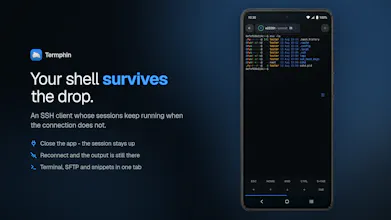


I built Termphin because I kept losing work on my phone. A long-running job, an editor session, or an AI coding agent would die the moment I locked the screen or switched from wifi to mobile data. The usual fix is tmux but that means installing and configuring it on every server you use. So I added a small Rust helper that keeps the remote shell alive, even when the connection drops. The app uploads it over SSH, and a foreground service keeps the socket warm so the system doesn’t freeze it.
It works very well with coding agents such as @Kilo Code , @Claude Code , @opencode , @OpenAI Codex CLI. Their tasks often run long and you don't lose them when you lose connection or app process is killed.
Right now, it only ships on Google Play. iOS and desktop versions are in progress, but I don’t have a release date yet.
What’s the one thing you wish your SSH client could do that it doesn’t today?
@hawierdev Congrats on the launch!
the "agent holds the shell open on the server" part is the interesting bit versus just a mosh-style client. is that agent something you install yourself on the server side, or does Termphin push it there automatically on first connect?
@hawierdev good, zero manual setup on the server side was the part I was worried about since most of these persistent-session tools make you SSH in and configure something yourself first. makes the whole pitch a lot more practical for a phone-only workflow