
Launching today

VirtualProg
A faster, simpler alternative to bulky VM managers.
30 followers
A faster, simpler alternative to bulky VM managers.
30 followers
VirtualProg is a fast, native virtual machine manager for Apple Silicon Macs. Run Linux and macOS VMs with ease, without complex setup or subscriptions. Built on Apple’s virtualization framework, it delivers high performance and efficiency. Features include onet stop control center, snapshots, cloning, templates, CLI automation, headless mode, and seamless folder sharing. Designed for developers and power users who want a lightweight yet powerful alternative to traditional VM tools.
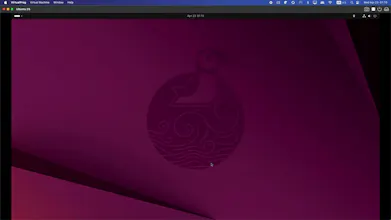
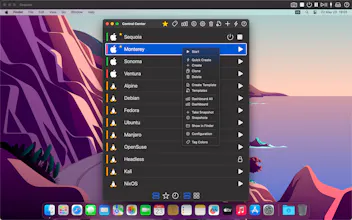

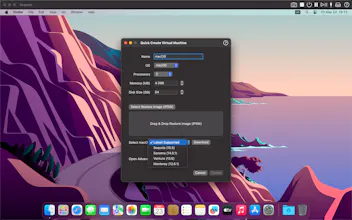
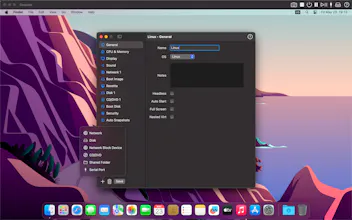
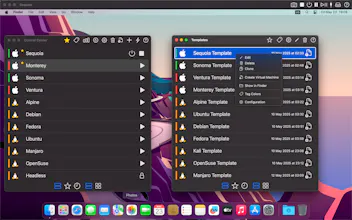
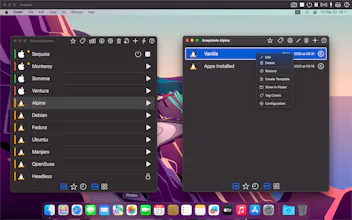
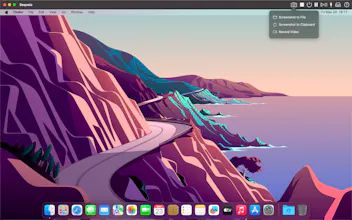

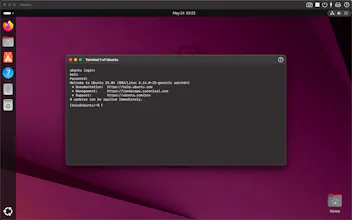


VirtualProg
Hey Product Hunt 👋
I’m the solo developer behind VirtualProg.
I built this because I was frustrated with existing VM tools on macOS—most felt either too heavy, too complex, or locked behind subscriptions. I wanted something fast, simple, and truly native for Apple Silicon.
So VirtualProg is built on Apple’s virtualization framework, focusing on performance and a clean developer experience. Over the past year, I’ve added features like Rosetta support for Linux, snapshots, templates, CLI automation, headless VMs, and more.
It’s been a quiet journey so far (indie dev reality 😅), but I’ve kept improving it consistently—and I’m excited to finally share it here.
If you run Linux or macOS VMs on your Mac, I’d really love your feedback. What’s missing? What would make this your daily tool?
A note on Windows support: Currently, VirtualProg focuses on Linux and macOS guests. Because we prioritize the native Apple Virtualization framework for maximum performance and stability, Windows is not supported at this time. While I know this is a limitation for some, it allows the app to stay incredibly lightweight and optimized for the OS environments developers use most.
Thanks for checking it out 🙏
How intuitive is the UI for someone switching from more traditional VM platforms?
VirtualProg
@aarav_krishna Thanks for asking! We’ve focused heavily on making the UI self-explanatory (with tooltips and a clean Control Center). You can check out the manual for a closer look at the interface.
Best of all, you can test it risk-free with Apple's 15-day satisfaction guarantee!"