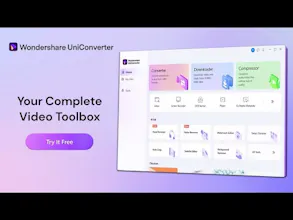
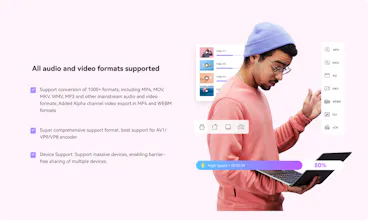
As an online educator and content creator, the quality and accessibility of video content are paramount. I produce a range of educational videos, from detailed lectures to quick tutorials, which require various formats for different platforms. Wondershare UniConverter has revolutionized the way I create, convert, and distribute my educational content, significantly enhancing my workflow and the quality of my videos.My journey with UniConverter began when I faced challenges with my new 4K camera. The high-definition footage was stunning but posed compatibility issues with my existing editing software and online platforms. UniConverter’s ability to convert 4K videos to MP4 while preserving quality was a lifesaver. The conversion process was impressively quick, allowing me to continue editing without any technical delays.One standout feature of UniConverter is its batch conversion capability. During a recent project, I had to prepare an entire course comprising numerous video lectures recorded in different formats. UniConverter allowed me to convert all the files to a consistent MP4 format in one go. This feature saved me an immense amount of time and effort, enabling me to focus on refining the course content.The software’s built-in editing tools have also been invaluable. For example, while preparing a series of programming tutorials, I needed to trim the videos, add annotations, and insert transitions between sections. UniConverter’s editing suite provided all these functionalities in one place. I could quickly trim unnecessary parts, enhance video quality, and add subtitles, ensuring the final product was polished and professional.UniConverter’s YouTube Video Converter feature has streamlined the process of uploading content to my channel. This feature optimizes videos for YouTube, ensuring they are uploaded in the best possible quality. The ability to add metadata, subtitles, and watermarks directly within the software has simplified my workflow significantly. For instance, after finishing a lecture series, I could upload all the videos to YouTube efficiently, complete with proper titles, descriptions, and subtitles, enhancing accessibility for my students.One of the most significant advantages of UniConverter is its video compression capability. High-quality educational videos often result in large file sizes, which can be challenging to upload and share. UniConverter’s compression feature reduces file sizes without compromising quality, making it easier to distribute videos to students and upload them to online platforms. This has been particularly useful for sharing video content with students in regions with slower internet connections.The impact of UniConverter on my online education workflow has been profound. It has improved the efficiency of video preparation, ensuring that I can meet deadlines without compromising on quality. The consistent performance and reliability of UniConverter mean that I can focus more on creating engaging and informative content rather than dealing with technical issues.Furthermore, UniConverter has enhanced the overall learning experience for my students. High-quality, accessible video content ensures that students can engage with the material effectively, leading to better learning outcomes. The ability to quickly edit and upload content also means that I can respond promptly to student feedback and update course materials as needed.Wondershare UniConverter has become an essential tool in my online education toolkit. Its powerful conversion capabilities, integrated editing tools, and seamless integration with online platforms have revolutionized the way I create and distribute educational content. Whether converting video formats, editing lectures, or optimizing videos for online platforms, UniConverter consistently delivers outstanding results, making it an indispensable asset for any online educator.