
Fwrd
Forward iPhone texts to Slack, Discord, or Telegram
59 followers
Forward iPhone texts to Slack, Discord, or Telegram
59 followers
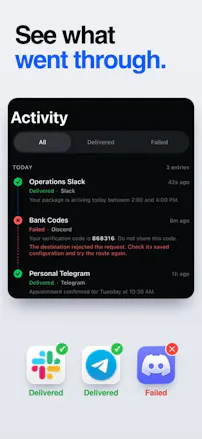
Fwrd routes qualifying iPhone texts to Slack, Discord, or Telegram through a Message automation you create in Apple Shortcuts. The automation runs from your iPhone and sends to destinations you control. No Fwrd account is required. Start with 15 forwards per calendar month free. Setup guide: https://www.fwrdsms.com/guides/automation



does group imessages work too or just 1:1? a family group chat would eat the 15 free forwards in a day
Group chats work, yes. Fwrd checks every message anyone in the group sends, so if someone texts your keyword, it forwards right away. You can stop a family chat from eating your 15 free forwards with the keyword: in Shortcuts, set "Message Contains" to something like "code", and only matching texts forward. Everything else stays on your phone and doesn't count.
Does it keep each sender in one thread on the Slack side, so replies from the same number stack up together instead of landing as new messages? That's what makes texts workable once a couple of people are watching the channel.
@lancelot_d_souza1 Not yet. Each text posts as its own Slack message. If you turn on "Include Who Sent It" in Settings, every message starts with a "From:" line, so you can see who sent what at a glance. Threading by sender is a good idea for shared channels, and I've added it to the list. Thanks!
Using a Shortcuts automation that you control to decide which texts get forwarded is a clever setup, since you can see exactly what leaves your phone. Can you set different rules per sender, for example sending one contact's texts to Slack and everything else to Telegram? Congrats on shipping it, Alan! 📱
@neerajnathany Thanks! Yes, you can. Set up one automation per rule in Shortcuts. For example, one automation filters by that contact and has Fwrd send to Slack, and a second one sends everything else to Telegram. Fwrd's action lets you pick which destination each automation sends to. One catch: Apple's sender filter only lists people in your Contacts, so short-code senders like banks need a keyword rule instead.