
Launching today

MiniAi
Select text, hit (⌥ space), get AI explanations
50 followers
Select text, hit (⌥ space), get AI explanations
50 followers
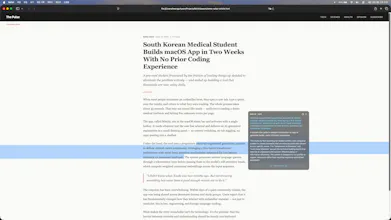
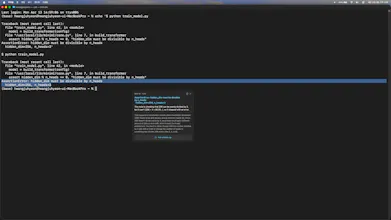
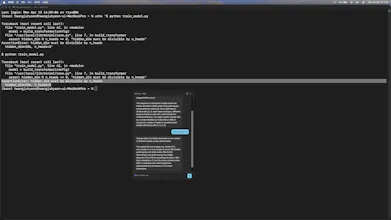
MiniAI lives in your macOS menu bar. Select any text — a PDF, an email, a code snippet. Hit ⌥Space. Get a clean AI explanation in a floating panel. No app switching. No copy-pasting into ChatGPT. Your focus stays where it was. Built by a med student who got tired of breaking focus while reading papers.




MiniAi
Hey PH! I'm a med student from Korea who started coding 2 months ago.
Built MiniAI because I got tired of jumping to a browser every time
I hit an unfamiliar term while reading papers. Now it's a little AI
that lives quietly in my menu bar — I select text, hit (⌥ space), and get an explanation without breaking focus.
Fair warning: I'm a solo maker with limited time (exams coming up),
so the polish isn't Raycast-level. I chose shipping over perfection.
What I'd love feedback on:
- Does the hotkey UX feel natural?
- What situations would you use this in?
- What's missing?
Free to try. Would love to hear your thoughts 🙏
I mean to say it has context for all of the applications I'm using, right? So how is security being handled yet? Because if the app can see everything on my screen, then yeah, security will be a major issue. Let me know on that also.
MiniAi
@nayan_surya98
Super valid concern — this is the #1 question for any Accessibility-based app.
Quick answer: MiniAi doesn't watch your screen. It only reads text
when you explicitly trigger it. Here's the exact flow:
1. You select text and press ⌥Space
2. Only at that moment, the app reads:
- (a) the text you selected, and
- (b) ~2 sentences before + 2 sentences after it from the same text field
The surrounding context helps Claude give a better explanation
(e.g. knowing what "it" refers to in the paragraph)
3. That bundle is sent to Claude (claude-sonnet-4) over HTTPS
4. Nothing is stored — not locally, not on our server. Discarded
right after the response.
Important scope limits:
- Context is pulled from the currently focused text field ONLY —
not the whole screen, not other apps, not your clipboard
- No screenshots, no OCR, no background monitoring, no keystroke logging
- If you don't press ⌥Space, nothing is read
Why Accessibility permission: macOS requires it to read the selected
text + immediate surrounding context from other apps. Same mechanism as
Raycast, PopClip, text expanders, etc.
What we keep on our backend: Only an anonymous session token and a
daily usage counter. No emails, no account signup, no content.
Full privacy policy: https://miniai.dev/en/privacy
The easiest way to verify: turn off Accessibility permission in
System Settings. The app stops working — because without your explicit
selection, it has nothing to read. That's also the best proof it's not
silently recording anything.
Happy to dig deeper on any of this — privacy is the kind of thing that
deserves real scrutiny, not hand-waving.
Thank you for your comment! Have a nice day 😄