Launched this week

Stage
Screen recording for demos, bugs, and updates
143 followers
Screen recording for demos, bugs, and updates
143 followers
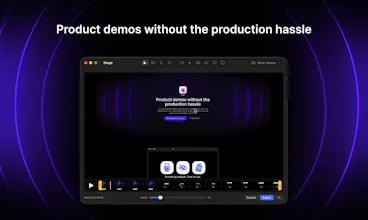
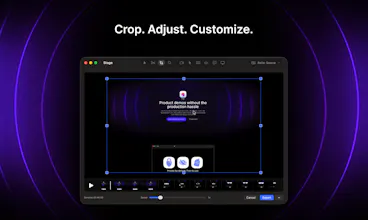
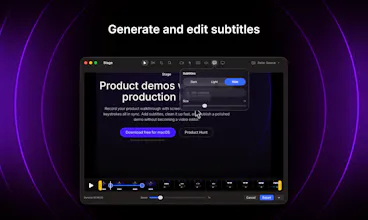
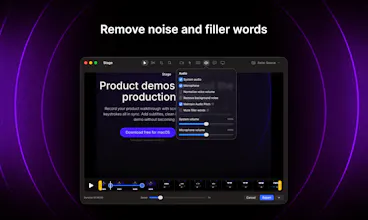
Record your product walkthrough with screen, camera, audio, cursor, and keystrokes all in sync. Add subtitles, clean it up fast, and publish a polished demo without becoming a video editor.


Stage
@kipin I absolutely loved it! I was searching for an editor to record a demo video and found it at the perfect time. The only downside was that I had to upgrade to the latest macOS version to use it, but it was worth it.
Overall, everything worked really well. I do have a few suggestions that could make the experience even better:
The zoom/scale points were a bit difficult to edit. When I tried to select a scale point, I often ended up selecting the playhead/progress indicator instead.
It would be great to have the ability to drag and reposition the zoomed/scaled video. When scaling toward a corner, parts of the video can get clipped, and being able to adjust the position would help a lot.
An undo/redo feature would be incredibly useful. I accidentally deleted several scale points that took quite a few attempts to set up 😅.
It would also be nice to have an option to add background audio when the recording itself doesn't contain any audio.
These are all relatively minor points, and I’m sharing them because I genuinely enjoyed using the app and think it has a lot of potential. Great work, mate! 🙌
Stage
@meetpatel thanks a lot for the feedback! That’s super helpful. I’ll work on it.
> It would also be nice to have an option to add background audio when the recording itself doesn’t contain any audio.
I wanted to add it in the release version, but I struggled a bit with the legal requirements around it. I’ll figure something out 👌
Glad you enjoyed the app!
The “polished demo without becoming a video editor” framing is strong. For founders and PMs, the time sink is often not only cleanup; it is deciding what the viewer should notice and why it matters.
One feature direction I’d love to see in tools like this is lightweight intent markers while recording: bug, decision point, customer-facing benefit, setup step, gotcha. Even if those just become editable chapter labels later, they would help a raw walkthrough turn into a useful demo or handoff without forcing the maker to reconstruct the story after the recording.
Stage
@jim_jeffers thanks. That’s a great suggestion. I was thinking about interactive demo functionality, but that would require a lot more than just a video file. What you’re suggesting feels related, but it fits Stage much better: it keeps things simple and fast while making a recording more valuable than a regular video. I’ll think through what I can do with it.
I hate how much time I waste turning raw recordings into decent demos. This tool seems to handle everything in one flow - synced recording, subtitles, quick cleanup.
How fast is the editing process in practice? Can you usually get a polished video out in under 10 minutes?
Stage
AuthorAI
Does it have auto zoom ?
Stage
@shuvodip yes, it has two zoom modes: auto zoom, which follows your mouse pointer, and manual zoom, which stays in a fixed position.
AuthorAI
@kipin Oh great! But I am a windows user :(
Hey Aleksei, congratulations with the launch 👏
The UI looks great and the app has many nice features!
Does it support importing your own video for quick edits, e.g. adding manual zoom?
Stage
@petersamokhin thank you! It doesn’t support video uploads yet, but I have plans to extend the editor’s capabilities and support video uploads.
Loved the product, i haven't played with bg yet but having animated bg would be cool for high production screen demos.
Stage
@amloh thank you! Animated backgrounds are on my radar 👌