
Statable Analytics
Web analytics built for you and your AI agents
663 followers
Web analytics built for you and your AI agents
663 followers
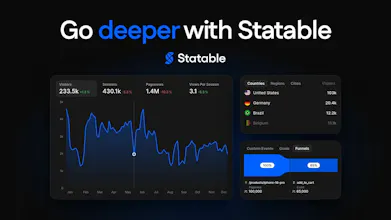
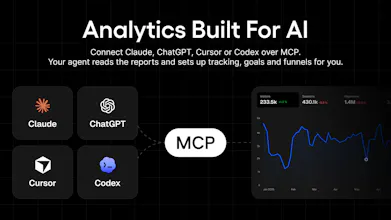
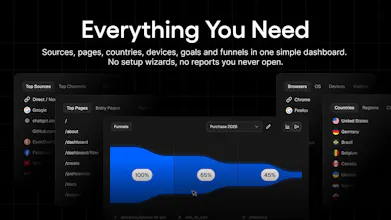
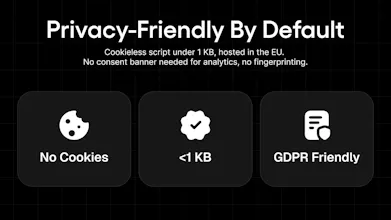
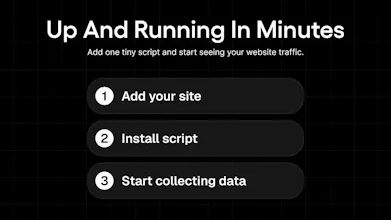
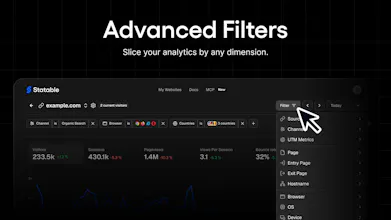
Statable is web analytics built for humans and AI agents. Use the simple dashboard yourself, or connect Claude, ChatGPT, Cursor, Codex, and other agents through MCP to read reports, analyze traffic, and configure tracking, goals, and funnels. No cookies, no analytics consent banner in most cases, and your data stays hosted in the EU.

Free Options
Launch Team / Built With


Customer.ioAutomate Messaging Everywhere — Startups Get 12 Months Free
Promoted
Hey Product Hunt. Yevhen here.
I have built and grown websites for over 20 years, living inside analytics every day. GA4 kept growing, with more reports and more setup, most of which I never opened. :) At some point I found myself taking a Google Analytics course, and that is when it clicked: I am not the audience for this product. So I started building my own.
Building it myself meant I set the requirements, and from the start those were: collect as little as possible, no fingerprinting, and a product shaped around European regulation. Statable is cookieless, EU-hosted (NL) and needs no consent banner for analytics.
Then AI got good enough to take over my routine work, but agents had no way into analytics. That is what the MCP server fixed. Now the numbers live where I already work: I ask Claude what moved last week and get an answer from my own data, and when I need a funnel for the signup flow I describe it in a sentence instead of clicking through a builder.
Connecting is one OAuth sign-in, and you choose whether an assistant can configure anything or only read.
Free forever on .edu and GitHub or GitLab Pages.
Would you use this? If not, what stops you? I am here all day.
analytics that agents can actualy read is smart 👀 no cookie banner is a nice bonus. who's using it most so far?
@petrkovacik Thanks Petr! Early on it's mostly small teams and solo builders moving off GA4, plus a fair share of WordPress sites through the plugin. The MCP side pulls in developers who already live in Claude or Cursor and would rather ask than open a dashboard.
What are you building at Macaly, would it fit there?
@odeth_negapatan1 Thanks Odeth! Subdomains are separate sites by default, so blog.example.com and app.example.com each get their own dashboard. If you'd rather see them as one, use the same snippet on both and add them to the hostname allowlist, then the Hosts report still splits traffic per subdomain.
Are yours separate products or parts of one?
hi, i saw that u have a free options for .edu sites. i run a 100% free learning website, but its domain is .org not .edu. would the free access still apply? thanks
That's impressive Yevhen! Congrats on the launch
@german_merlo1 Thanks Germán! Day one and already at #2, still a bit surreal. Appreciate you stopping by
the read vs configure split on the OAuth connection is the detail that would actually get this approved internally, most MCP analytics tools I've seen just hand the agent full write access and hope for the best. one thing I'd want to know before connecting it to anything real: if I only grant read access, can the agent still see raw visitor-level data (IPs, hashed IDs, individual sessions) or is it aggregated numbers only at that permission level? that distinction matters a lot once you're piping traffic data through a model you don't fully control.
@galdayan read access is aggregates only. We don't store visitor IPs. We use them on arrival to look up country, region and city, and to build a visitor hash. Then we discard them. The hash is salted daily and never exposed. No tool lists individual visitors or sessions. With read access, the agent sees totals: visitors and pageviews by page, source, country, device, etc
Page paths, UTM tags and custom event properties come back as your site sends them. We strip query strings from page URLs, but nothing else. So keep emails and customer IDs out of them.
@anatolii_vasylenko that clears it up, the daily-salted hash plus stripped query strings is basically the config I'd want to see documented on the site itself, not just in a comment thread. most tools bury this kind of detail in a privacy policy page nobody reads before granting access. good answer.
@anatolii_vasylenko @galdayan Fair, and that is on me. A comment thread is not documentation. I will add a short page in the docs this week: what the read scope can see, what the write scope can change, and the fact that no endpoint returns a visitor or a session row at any permission level. I will drop the link in this thread when it is live.
@anatolii_vasylenko @galdayan Thanks, will ping you here when it's up.
this looks really useful for teams that want analytic without adding more complexity the MCP support for connecting AI agents directly to analytics is especially interesting
@shivam_kushwaha16 Thanks! Curious which agent you'd plug in first, Claude, Cursor or something else?
@yevhen_skrypets I’d probably start with Claude for this use case but having the flexibility to switch between agents is what makes the setup really interesting
@shivam_kushwaha16 Claude is where I'd start too. It's what I use every day for this.