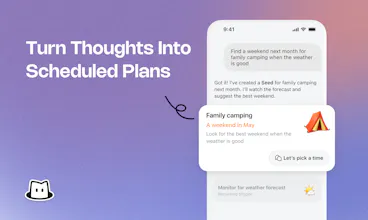
Reviewers describe Toki as a simple, natural scheduling assistant that quickly turns text, voice notes, screenshots, and images into calendar events, reminders, and time blocks. They repeatedly praise how easy it is to use inside familiar messaging apps, its accurate understanding of requests, and smooth calendar syncing, saying it reduces mental load and saves time. A few limits come up: conversational scheduling can be less intuitive for viewing busy date ranges, and users want features like multi-calendar iCloud support, broader Q&A help, and more customization.
Toki: AI Executive Assistant
Hey Product Hunt 👋
We’re back with a new Toki — now built around a bigger idea:
What if scheduling a meeting felt like delegating it to a real executive assistant?
Most calendar tools can show availability or suggest time slots. But the real friction comes after that — reaching out, comparing schedules, going back and forth, and getting everyone aligned.
So Toki now handles the coordination itself.
Just tell Toki who you want to meet. It can:
📧 Reach out to attendees via email
🤝 Coordinate availability across multiple people
📅 Find a time that works and send the invite once it’s confirmed
We’ve also made Toki much more personal. You can choose its name, personality, and voice tone, while Toki learns your scheduling preferences, routines, and communication habits over time.
The idea is simple:
An assistant that can act on your behalf and gradually become yours.
We’d love for you to try the new Toki and tell us what you’d trust an AI Executive Assistant to handle next.
We’ll be here reading and replying to your feedback ❤️
Toki: AI Executive Assistant
We’ll be sharing invite codes throughout the day 🎟️
Each code unlocks 1 month of Toki Super with limited redemptions.
If you’ve been curious to try Toki as your AI Executive Assistant and let it handle the meeting coordination for you, now’s a great time 👀
/get-super FDMROKUQ
More codes dropping soon ⬇️
Kai
Nice, will try it and see !
I just created an account but I didn't get any onboarding. Is that expected, or is it an issue, or did I miss something ?
Toki: AI Executive Assistant
@lambertlcdb Hi! Thanks so much for trying Toki 🙌 Are you using Toki on the web? We currently don’t have onboarding on the web version yet, while the app does include onboarding. If you run into anything else while using Toki, feel free to send us feedback directly in the product — we’ll be happy to help and will get back to you as quickly as we can.
minimalist phone: reduce your screentime
The cutest emoji mascot on this PH day :)
Toki: AI Executive Assistant
@busmark_w_nika Thank you! 😊 Toki’s little mascot is definitely part of its personality — we wanted the assistant to feel a bit more human and personal.
If you were negotiating about time between several participants, would it be optimized to get the majority opinion or notify about the lack of consensus?
Congratulations @jamieg & @zaczuo 🎊✌️
I think the strongest part of this update is the shift from “help me manage my calendar” to “handle this coordination for me.” That’s a subtle but important difference, and it feels much closer to how people would actually delegate work to a human EA.
Toki: AI Executive Assistant
@panzhenglian Exactly! This shift is really what we wanted to achieve with this release. Instead of giving you another tool to manage, Toki should feel like something you can actually delegate to and trust to move things forward. Really glad that came through 🙌
Dial
the part that'd worry me a little is Toki emailing attendees directly on my behalf - if it misreads a reply (someone declining but phrasing it ambiguously, or a reply-all mixup) and sends a confirmed invite anyway, the damage is external and already in someone else's inbox before I see it. is there a review step before it actually sends to attendees, or does it act autonomously once you hand it the task?