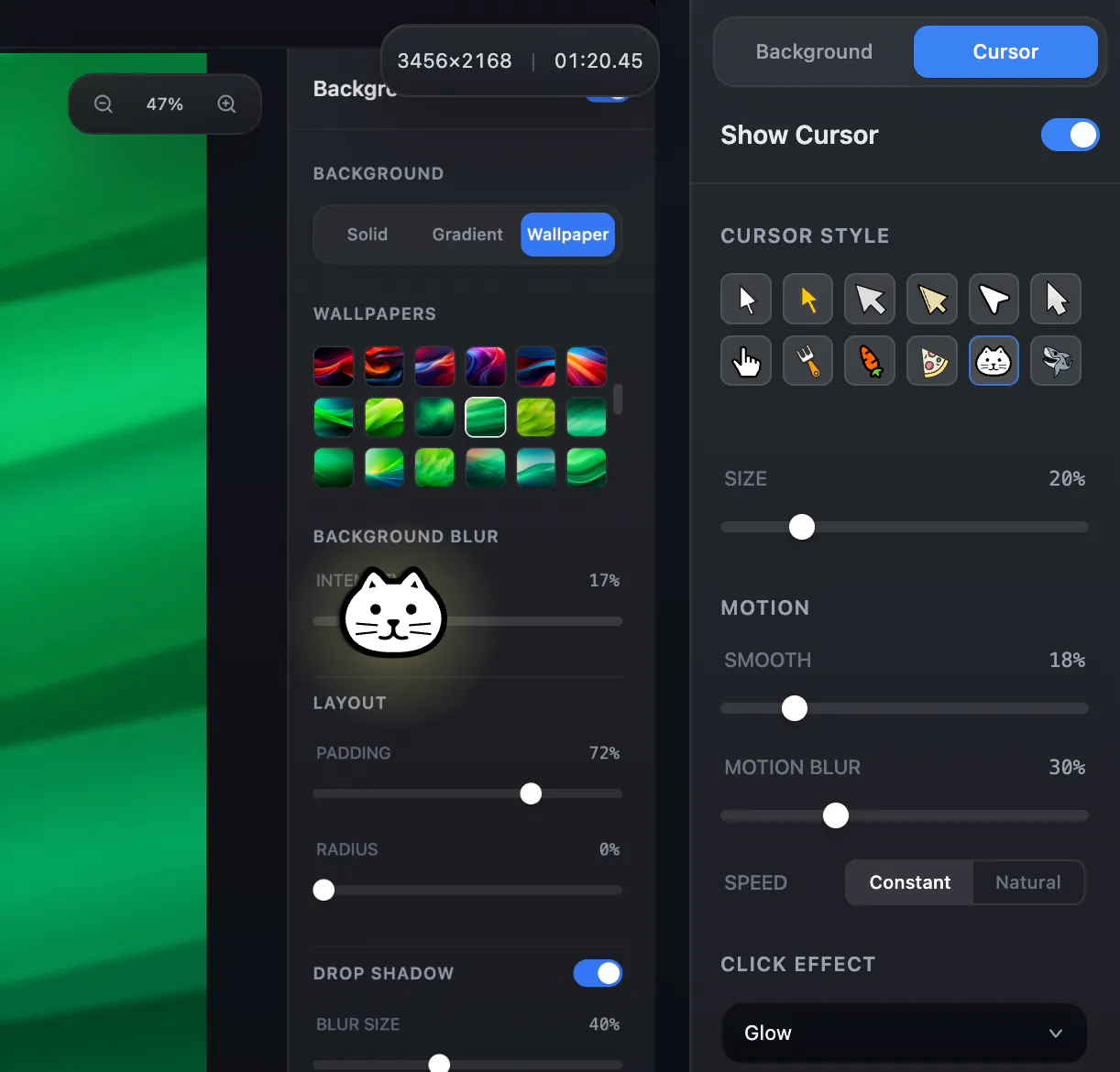
Hey everyone One small detail I always found frustrating when recording demos was the cursor. It s either: - too small to see - jittery and distracting - or just... boring So I added a custom cursor feature to Snapr.
Now you can: Use different cursor styles and adjust size Smooth out cursor movement (no more jitter) Add motion blur trails Add click effects for better clarity The goal wasn t to make it flashy but to make recordings easier to follow. Especially for tutorials, product demos, and presentations. Would love to hear your thoughts: What makes a good cursor in recordings for you?
This week, I focused on making screen recordings easier to explain and annotate especially for tutorials, bug reports, walkthroughs, and product demos.
Stop switching apps to capture your screen.
Snapr combines screenshots, recording, annotation, and video editing in one app for macOS & Windows.
• Fast, handy annotation tools built in
• Scroll capture for long pages
• 60fps 4K recording with system audio + mic
• Record iPhone/iPad from Mac
• Style captures with backgrounds, shadows for polished output
• Export presets: 4K, 1080p, 720p, GIF
• Clean desktop mode
Pay once, use forever. Free version available - no watermarks, no time limits.