Launched this week

Wandesk
Build Your Own AI Desktop
950 followers
Build Your Own AI Desktop
950 followers
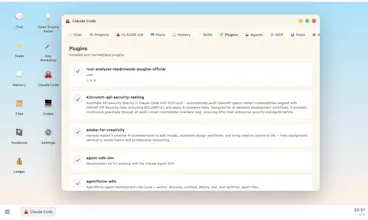
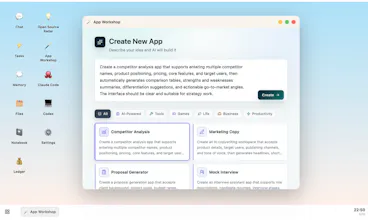
Wandesk is an AI desktop. Build the apps you need just by describing them. Plug in Claude Code, Codex, DeepSeek, OpenAI, Kimi, Qwen — anything OpenAI-compatible. Apps share context. AI remembers you. All local. No signup.




Wandesk
Hello everyone 👋
I'm Yang, building Wandesk for a while now.
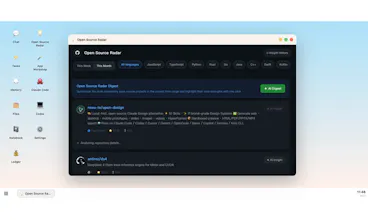
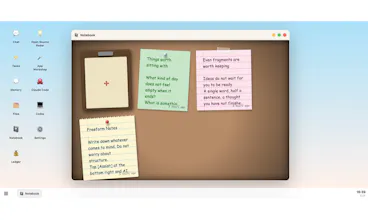
The short version: Wandesk is an AI desktop. You describe an app, AI builds it right there on your machine — a calorie tracker, a reading list, an invoice generator, whatever.
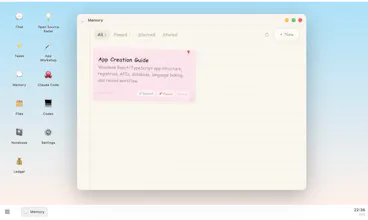
Apps live alongside chat, files, tasks, and memory. AI remembers context across all of them. Plug in your own API keys (Claude, OpenAI, DeepSeek, Kimi — anything OpenAI-compatible).
🔒 100% local. 🆓 100% free. No signup, no account, no cloud lock-in. Your apps, your data, your machine.
Why we built it: AI products today still treat conversation as the only surface. Conversation is good for intent, bad for persistence — you don't balance your budget in a chat window. We wanted a place where AI-generated software has shape and stays.
Available now on macOS and Windows.
Would love to hear:
- What's the first app you'd want it to build for you?
- Where does it break in the first 5 minutes? (it will. tell us.)
— Yang
@realuckyang what a cool idea, congrats on launching! I'd probably want it to build me some sort of productivity tracker that reflects tasks across different categories (work, side projects, life admin). To this point, is there shared context across apps? If I build a fitness tracker and productivity tracker can the fitness tracker pass context to the productivity tracker?
Wandesk
@realuckyang @denitsapenchevavaltchanova Yes, all applications can share context. It will remember your preferences and help you handle more continuous real-world tasks.
Wandesk
@denitsapenchevavaltchanova thank you 🙏 Yes — shared context is the whole point.
The apps aren't wired together directly. They live in one workspace with one AI and one shared memory above them, so the AI just reads one app and acts on another.
For your cross-category tracker: tell it once "I'm training for a marathon, keep mornings free" and it factors that in everywhere. Memory carries across every app.
PicWish
@realuckyang how does the crossapp shared context compare to using standard MCP bridges when calling different agents?
Wandesk
@mohsinproduct Wandesk's cross-app context isn't a bridge. Apps share one local store + one memory, with the AI sitting above all of them — so context is ambient and persistent, no per-pair wiring. Tradeoff: it's scoped to that one local workspace.
Complementary, not competing — and Wandesk can speak MCP when it needs to reach out.
PicWish
@realuckyang gotcha
@realuckyang Big fan of the AI remembers context across apps framing. That persistence layer is genuinely what most AI desktops are missing.
Quick technical question on the MCP side, since Rick mentioned Wandesk can speak MCP when it needs to reach out: does Wandesk surface available MCP servers for the AI to discover, or does the user have to manually add each one by URL? Asking because if there's a registry pattern, that changes how MCP server builders should be packaging things to show up natively in Wandesk apps.
the positioning sits in an interesting gap between something like Raycast AI and a full local IDE. curious who your early users actually are because i can picture two very different people finding this useful. one is a developer who wants a faster way to prototype throwaway tools without spinning up a project. the other is a non-technical person who genuinely can't code and needs something that works end to end without touching a terminal. those two users need pretty different things from the same product
Wandesk
@ansari_adin thank you, Ansari, this is definitely something we ran into during development. Many details were designed for non-technical users, but in reality, developers may end up using it more. That’s also one of the reasons we made it open source: capable developers can optimize it themselves, while non-technical users can follow the standard workflow.
@ansari_adin @rick_fan I was going to ask if you saw this as a developer tool - thanks for the reply.
Wandesk
@ansari_adin That’s a very accurate read.
Our earliest users are mostly the first group: developers/builders who want to prototype useful local tools without spinning up a full project every time.
The second group is where we want Wandesk to go, but it needs much more polish: safer defaults, stronger templates, better error recovery, and less visible technical surface area.
So we’re starting with builders, but the long-term direction is exactly: anyone should be able to create their own local apps without touching a terminal.
@ansari_adin That tension is real for almost every developer tool trying to cross over to non-technical users. The features that make it powerful for developers are usually the same ones that make it confusing for everyone else.
Wandesk
@ansari_adin @matthew_goley Agreed, balance is key. I believe AI will eventually reach general users and benefit everyone.
The "local, free, no signup" part is what I actually care about here, since most of these tools quietly require a cloud account the moment you want to save anything. Very cool pros
What model is running the generation locally, and how far does a mid-range machine get before output quality starts to drop? Also curious what "describe any app" means in practice when the description is vague or contradicts itself.
Wandesk
@fberrez1 Thank you, Florent. In fact, you can choose any mainstream model you like. Our product runs on your personal computer, so it's compatible with most computers. You just need to describe your needs clearly in natural language, and I believe Wandesk won't disappoint you. Go ahead and give it a try.
Wandesk
@fberrez1 thanks 🙏 — one honest clarification, because it matters:
Wandesk doesn't run the model itself. "Local" means your apps, data, files and memory stay on your machine — not that inference is local. You plug in your own API key (Claude, OpenAI, DeepSeek, Kimi…) and generation goes to that provider.
So your hardware doesn't gate output quality — that's on whatever model you point it at. A mid-range machine is fine; it's just running the desktop, a couple of Node services, and writing the app's files. Quality scales with the model, not your RAM.
(And since it takes anything OpenAI-compatible, if you want truly local inference you can point it at Ollama / LM Studio — then it's local end to end.)
On "describe any app": it's iterative, not one-shot. Vague → it makes reasonable assumptions and builds a v1 you refine in chat. Contradictory → it picks an interpretation and you correct it. Small focused apps come out solid; big complex ones it'll struggle with on the first pass — being honest there.
@realuckyang I like the natural language angle here, especially if the output stays editable and understandable. The hard part is not just generating the first version, but helping users keep control once the project grows.
Wandesk
@realuckyang @alpertayfurr Yes, that’s exactly what we designed it for: users can customize the apps they need without losing control of version management.
@realuckyang @rick_fan That version management part is important. Natural language is great for starting fast, but once people begin customizing, they need to understand what changed and be able to roll things forward without losing control.
Wandesk
@alpertayfurr agreed — the first version is the easy part, keeping it manageable as it grows is harder.
Our approach is structure: every app is generated in a clear, layered shape (UI / logic / data + an APP.md the AI reads before changing anything), so edits stay scoped instead of rewriting the whole thing. They're real editable files too, so you can adjust by hand or have the AI touch just one part.
Still rough in places, and we're improving it as we go.
@realuckyang That structure makes a lot of sense. APP.md as a source of truth is a smart way to keep the AI from treating every edit like a blank slate. Scoped changes + real editable files feels much more sustainable than “generate once and hope it doesn’t drift.”
the shared memory across apps sounds useful but also a little scary. if one app pulls in a bunch of work context and another is personal stuff, can you scope what each app can see or is it one big pool?
Wandesk
@trekh today it's effectively one shared pool — the AI sees your memory across apps, there's no per-app permission boundary yet. You're pointing at a real tradeoff.
What softens it now: it's 100% local (nothing leaves your machine), and memory is opt-in — you choose what gets saved, so keeping work and personal separate is in your hands, just not enforced per-app.
Per-app scoping ("this app can't see that") is exactly the kind of control we want to add. Genuinely useful flag — thanks 🙏
Wandesk
@praveen_sanapala fair stance — being straight with you: Wandesk does use a shell to operate locally, that's how it builds and runs apps, so it's not sandboxed away from your machine.
What bounds it:
- 100% local — nothing goes to us; it runs through your own model API key.
- Every action is visible — you see each command it runs in the chat, it's not a black box.
- It asks before destructive operations (delete / overwrite / etc.).
So the control is transparency + you in the loop + nothing leaving your machine — not a jail. If "AI touching my system at all" is a hard no, that's a totally fair call.
mailX by mailwarm
Where does the shared context and memory live, and can you inspect or wipe it per app?
Wandesk
@thamibenjelloun it all lives locally in the app's workspace folder (~/Library/Application Support/…/workspace): app data in per-app SQLite DBs, memory in a memories table, files on disk.
Inspect: the Memory app lists every memory — read, edit or delete each one; app DBs are plain SQLite you can open.
Per-app wipe: app data, yes (delete its DB). Memory is currently one shared pool, not partitioned per app — so you wipe memories individually, not "this app's memories" as a group yet. That scoping is on our list.
Full reset: uninstall + delete the workspace folder